Bookkeeping over MCP
Let Claude or ChatGPT do your bookkeeping.
If you use Claude or ChatGPT, add LedgerMCP as a connector and do your books by chatting — hand your AI a bank statement and it imports, categorizes, and reconciles. Underneath is real accounting software, with a beautiful front end whenever you want to look.
Free for CSV & manual books — no card. Connect via Claude or ChatGPT, or log in to see the front end.
{
  "mcpServers": {
    "ledgermcp": {
      "type": "http",
      "url": "https://ledgermcp.com/mcp",
      "headers": { "Authorization": "Bearer lmcp_YOUR_KEY" }
    }
  }
}
Paste into claude.ai connectors, Claude Code, ChatGPT, or any MCP client.
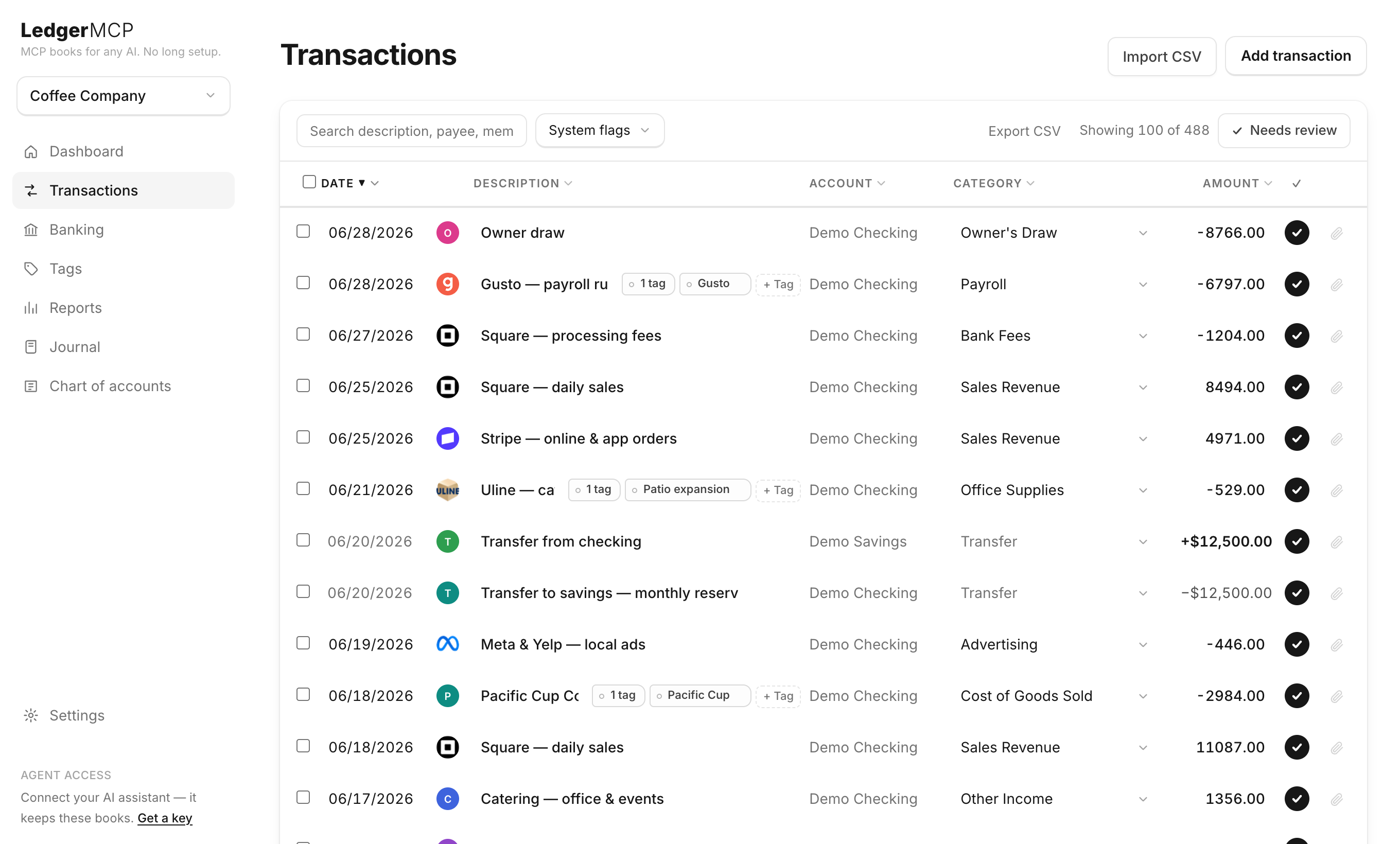
Connect in under a minute
No SDK, no setup call. Sign up, mint a key, paste the snippet into your agent.
- 1
Sign up
A 6-digit code to your email. Name your first set of books.
- 2
Mint a key
Settings → Agent access. One key covers every business; issue read-only keys when you want an agent that can only look.
- 3
Point your agent
Paste the snippet above, then: “Import this statement and categorize it.” The books stay balanced by construction.
What it actually is
Real double-entry
Every categorization posts a balanced journal entry. Debits equal credits, checked in the database — not hoped for in app code. Trial balance, P&L, and balance sheet derive live from the postings.
40+ MCP tools
The whole job is exposed as tools: import, categorize, split, transfer, reconcile, register assets, run reports, manage businesses. Your agent operates the books the same way you would.
Books you can trust
Postings are immutable — corrections are reversals, never edits. Lock a closed period. Reconcile against the statement. A human can step in at any point and see exactly what happened.
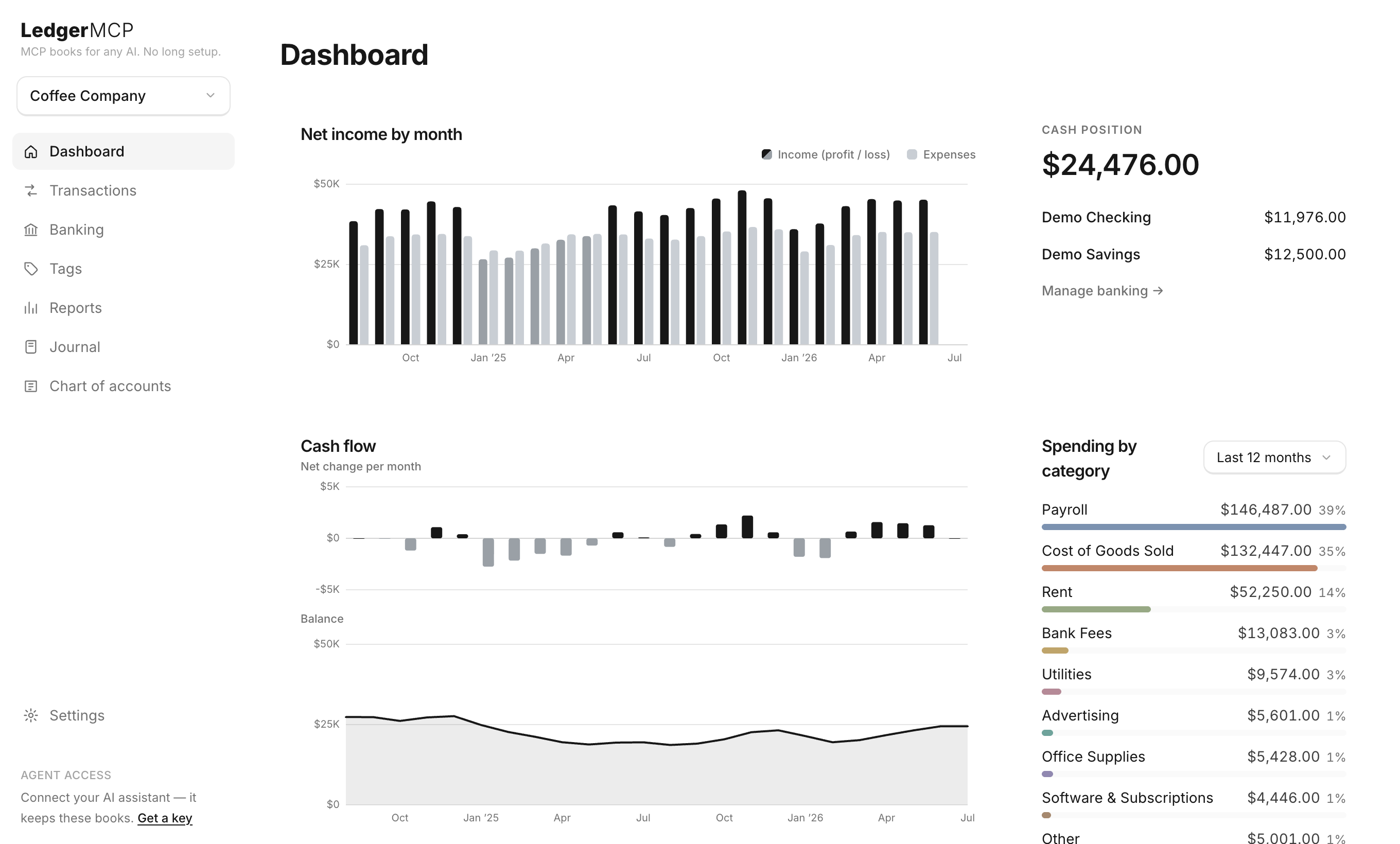
And a UI when you want one
The agent does the work; you get a clean monochrome interface to check it. Dashboards, drill-through reports, reconciliation, and 1099 prep — every figure computed live from the same postings your agent writes. Nothing to reconcile between the AI and the UI: they read the same books.
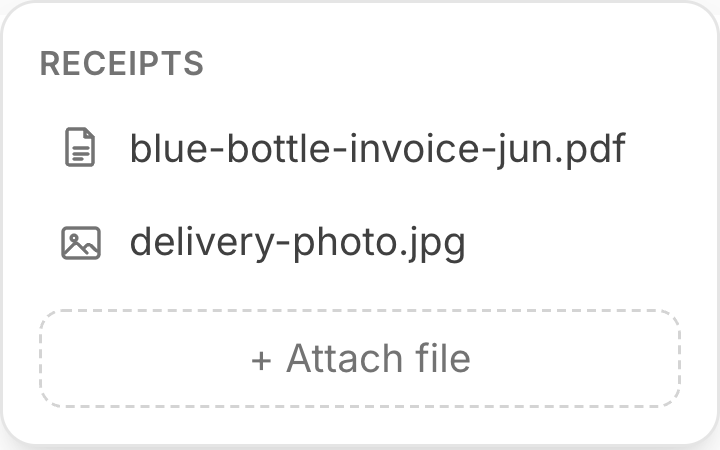
Receipts, attached to the transaction
Keep the proof with the entry. Drop a receipt onto any transaction in the app — or let your agent do it: the attach_receipt MCP tool takes a file or a URL and files it against the right row, so when it categorizes an expense it can staple the receipt to it in the same breath. Everything's stored privately and travels with your export.
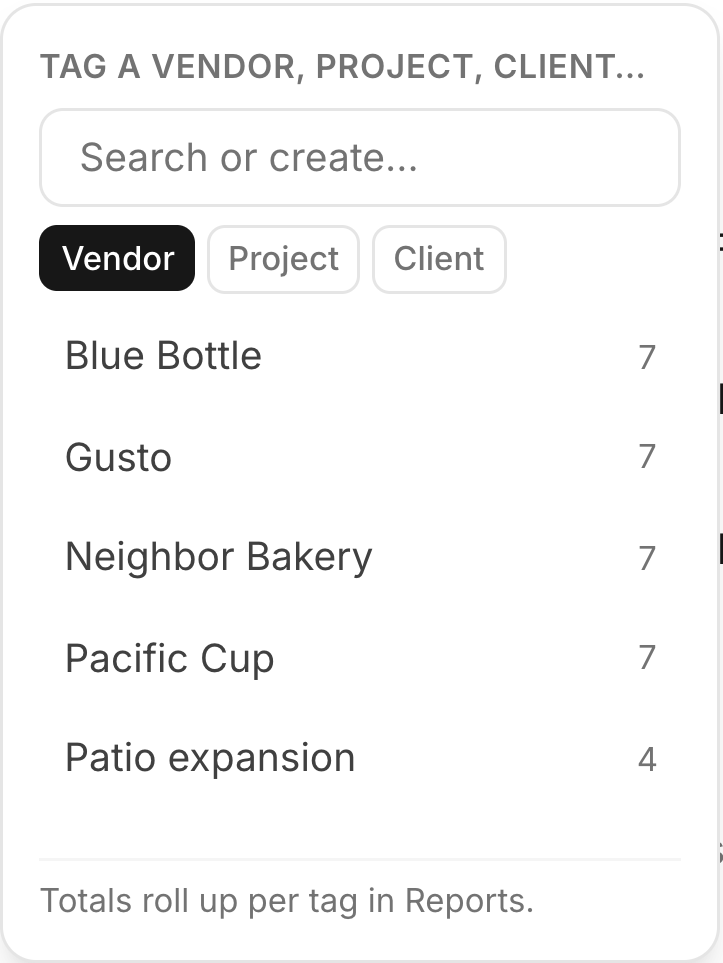
Tags for vendors, projects & clients
Beyond the category, tag a transaction with who and what for — a vendor, a job, a client. Costs roll up per tag, so you can see what a project actually cost or what you paid a supplier all year, and a vendor's 1099 total is ready at tax time. Your agent tags as it categorizes, so the rollups stay current without extra work.
Built to be trusted with money
An agent is writing to your books. The guarantees below are enforced in the database and the transport, not left to good behavior.
Immutable by design
Postings can never be quietly rewritten. Update and delete are revoked at the database level — corrections happen as reversals, so history is always intact.
Every agent write, logged
An append-only audit log records each change an agent makes, attributed to its key. Undo any of it in one click from Settings.
Scoped, hashed keys
API keys are SHA-256 hashed at rest and revocable. Hand out read-only keys for agents that should only read your books.
Encrypted bank access
Bank tokens are sealed at rest with AES-256-GCM, over TLS 1.2+. The browser never holds a database credential — everything goes through the server.
Two-factor login
Optional TOTP two-factor on your own account, on top of passwordless email codes.
Never locked in
Export every business to CSV any time — transactions, ledger, chart of accounts, journal, and assets. Your books are yours.
Pricing
The software is free — unlimited businesses, reports, and MCP access. Live bank feeds are the one paid feature, priced by connected accounts across your whole account.
Free
$0/mo
CSV, manual & agent imports
No card required
Starter
$9/mo
1–5 connected bank accounts
Live bank feeds
Growth
$19/mo
6–20 connected bank accounts
Live bank feeds
Scale
$79/mo
21–100 connected bank accounts
Live bank feeds
Frequently asked
What is LedgerMCP?
LedgerMCP is real double-entry bookkeeping with a Model Context Protocol (MCP) server built in. Connect Claude or ChatGPT with one key and your AI agent imports statements, categorizes, reconciles, and closes the month — on books that stay balanced by construction.
Do I need to know accounting or how to code?
No. Hand your agent the key and ask in plain language — “import this statement and categorize it.” The clean web app is there whenever you want to check the numbers yourself.
Which AI assistants can keep my books?
Any MCP client — Claude (claude.ai connectors, Claude Code, Desktop), ChatGPT, or your own agent. You paste one snippet and the agent gets the full toolset.
Is it real double-entry accounting?
Yes. Every categorization posts a balanced journal entry, checked in the database — not hoped for in app code. Trial balance, P&L, and balance sheet all derive live from the postings.
Is my financial data safe?
Postings are immutable — corrections are reversals, never edits — and every agent write is logged and one-click reversible. API keys are SHA-256 hashed and revocable, bank tokens are encrypted at rest, and the browser never holds a database credential.
Do you store my bank login?
No. Bank connections go through Plaid; access tokens are sealed at rest with AES-256-GCM and are never exposed to the browser. You can also skip bank feeds entirely and use CSV or manual entry.
What does it cost?
The software is free — unlimited businesses, reports, and MCP access, no card required. Live bank feeds are the one paid feature, from $9/mo priced by the number of connected accounts.
Can I use it without an AI agent?
Yes. Log in and use the web app directly — import CSVs, categorize, reconcile, attach receipts, and export every report. The agent just automates the same books.
Give your agent the keys.
Start with CSV and manual books for free. Connect a bank when you want the feed to flow on its own.